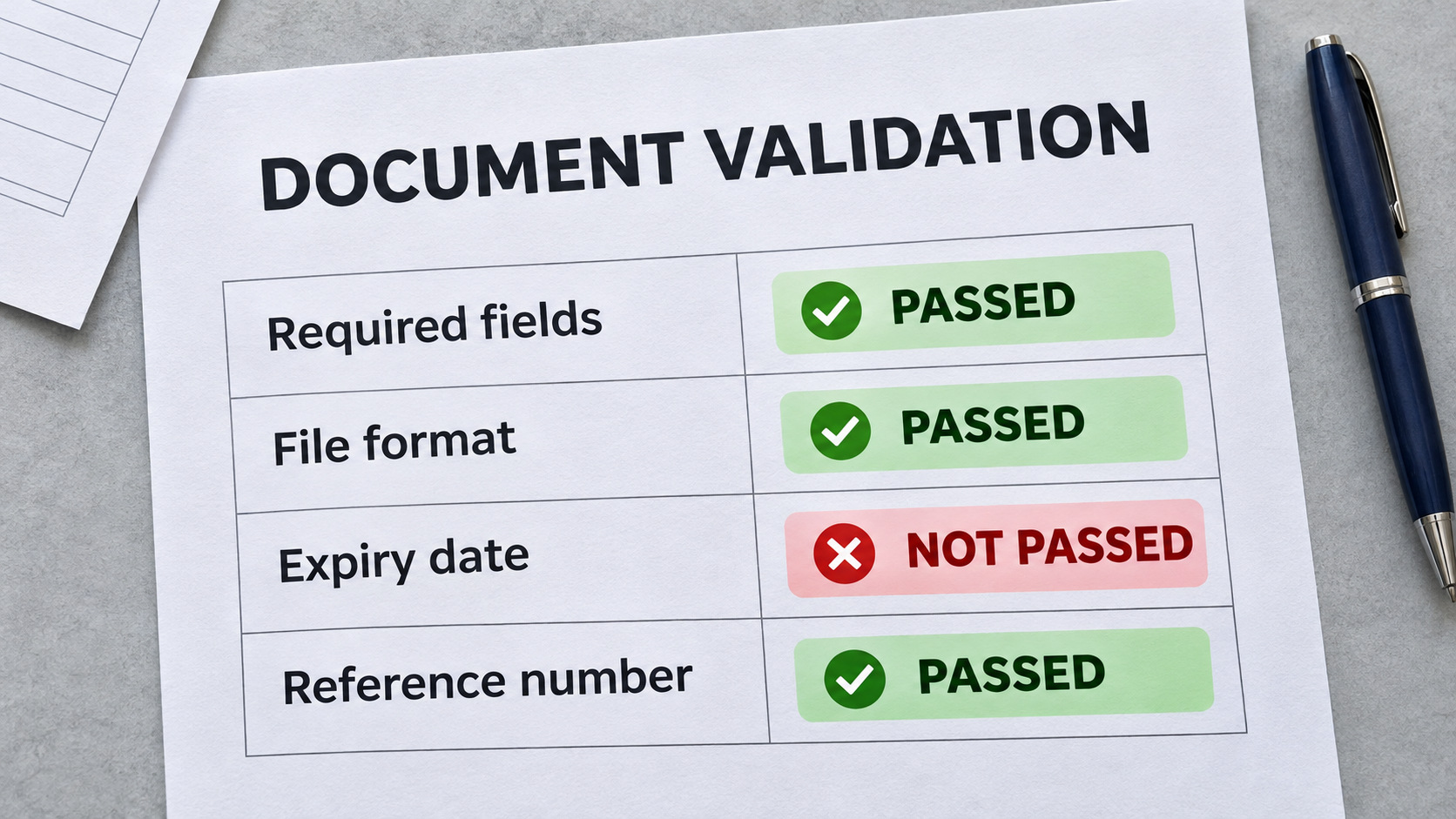
Picture a loan application with an expired ID, a claim with a missing receipt, and an invoice whose total does not match the purchase order. Each one looks fine until someone checks it, and by then it has already moved downstream. Document validation automation catches these problems at intake by checking every document against rules you define, whether for KYC and KYB, claims processing or invoice checking.
This guide explains how automated document validation works and walks through 5 practical steps to implement it in your own business, from choosing the software to tracking results.
What Is Document Validation Automation?
Document validation automation is the use of software to automatically check documents against predefined rules, such as required fields, correct formats and tolerance limits. It can be used for single-document checks and cross-document validation, depending on the processing needs. Documents that pass every rule move forward automatically. Documents that fail a rule become exceptions, which are flagged with the reason for the failure and routed to a person for review.
In practice, it is most commonly implemented right after data extraction by OCR. Once the data fields are extracted from the document, the validation layer applies your rules to what was read. Validation is what decides whether the document is complete, consistent and ready to move to the next step.
Document Validation vs Verification vs Fraud Detection
These three terms are often used as if they mean the same thing, but each one answers a different question. Document validation checks a document against your rules, verification checks whether the document can be trusted, and fraud detection checks whether it is being used to deceive.
| Document validation | Document verification | Fraud detection | |
|---|---|---|---|
| Question it answers | Does this document follow our rules? | Can we trust this document for a decision? | Is this document being used to deceive us? |
| What it checks | Required fields, amounts, dates, tolerance limits and matches with related documents | Whether the content is accurate against an official source or the person submitting it | Signs of tampering, forgery, edited files or reused documents |
| Example | An invoice total falls within the tolerance limit of its purchase order | An ID number matches the issuing database and the applicant's selfie | A bank statement PDF has an altered balance |
How Automated Document Validation Works
From the moment a document is received until it is validated, the work follows five clear steps. Understanding these steps makes it easier to see where the rules apply and where people step in.
- Collect: Documents arrive through email, upload or API and are gathered in one place.
- Extract: AI-powered OCR reads all required fields based on the document type, for example name, unique number, date and line items.
- Validate: The rules run on the extracted data, both within each document and across related documents.
- Flag: Documents that pass move to the next step automatically. Documents that fail are flagged as exceptions and routed to the right reviewer with the context attached.
- Record: Approved data is passed to your existing system or the next downstream process, such as accounting software, an ERP or a loan system.
Types of Document Validation Rules With Examples
Most workflows combine several rule types for each document. The following examples show how common checks work in practice.
1. Required Field Checks
Confirm that essential information is present before a document moves forward. Examples include an invoice without an invoice number, a loan application without an ID number, or a claim form without a claim date.
2. Calculation Checks
Confirm that figures within a document add up correctly. For example, invoice line items should match the subtotal, and the subtotal plus tax should match the total. On a bank statement, the opening balance plus transactions should equal the closing balance.
3. Date and Validity Checks
Check whether dates fall within an acceptable range. Examples include an ID that has not expired, a bank statement covering the last three months, or an invoice dated no later than today.
4. Maximum Limit Checks
Confirm that an amount or quantity stays within the highest value allowed. An expense claim may have a per-claim limit, an invoice above an approval threshold may be escalated, or a loan request may exceed the maximum for its product.
5. Tolerance Checks
Allow a predefined difference between two values before flagging a document. For example, an invoice amount within 2% of its purchase order or a delivered quantity within 5% of the ordered quantity may be accepted.
6. Cross-Document Matching
Compare values across related documents to identify inconsistencies. Examples include checking a loan application against an ID and utility bill, matching claim amounts and dates against receipts, or comparing payslip salary with deposits on a bank statement.
How to Implement Document Validation Automation in Your Office Operations
Building document validation automation in-house requires extensive engineering time and ongoing maintenance effort. For most teams, a ready-to-use solution like AnyCheck can be a more efficient route. It is an AI-powered document processing platform that connects data extraction, rule-based validation and exception flagging in one automated workflow.
Here are the five steps to implement document validation automation in your own operations.
Step 1. Choose the Software
Choose software based on the documents you handle and the systems you already use. Its capabilities will determine which checks and workflows you can automate, so focus on fit rather than the longest feature list.
Step 2. Pick the Document Type
Decide which document type or group of related documents is involved. Whether you are checking one file or cross-checking several, this choice shapes the rules you will set next.
Step 3. Set Rules and Tolerance Levels
List the checks reviewers perform today and turn each into a rule with a clear pass-or-fail outcome. Set limits and tolerance levels, then refine them as you learn from actual results.
Step 4. Define the Approval Flow
Decide who reviews each type of failure and who approves the result. Route documents by exception reason and attach the failed rule and extracted data so reviewers have the context they need.
Step 5. Set the Output and Track Results
Choose where validated data should go and in what format, such as your accounting software, ERP or loan system. Track processing results to identify rules that need to be tightened, loosened or added.
Common Use Cases of Document Validation Automation
Here are four areas where automated document validation can make a difference:
1. KYC and KYB Document Checks
Financial institutions and businesses use document validation to check identity and business documents during customer onboarding. The system can verify required fields, check ID expiration dates, and compare information across submitted documents to identify missing details or inconsistencies.
Read also: Merchant Onboarding
2. Invoice Processing and Three-Way Matching
Finance teams can automate invoice checks by comparing invoice details against purchase orders and delivery notes. The system checks amounts, quantities and other key fields, flagging discrepancies before invoices move to approval and payment.
3. Insurance Claims Processing
Insurance companies can validate claim forms against supporting documents, such as receipts, medical bills and repair estimates. Automated checks help identify missing documents, inconsistent claim amounts and invalid dates before claims are sent for further assessment.
4. Loan Application Document Review
Lenders can validate loan application documents, including identity cards, payslips and bank statements. The system checks required information, compares applicant details across documents and flags inconsistencies for credit analysts to review before making lending decisions.
Automated Document Validation Workflow with AnyCheck
Document validation automation works best when data extraction, rule-based checks and exception handling operate within the same workflow. This is what AnyCheck brings together in one AI-powered document processing platform.
AnyCheck turns complex, time-consuming document checks into automated workflows with key capabilities such as:
- Intelligent Data Extraction: Extract data from documents of any layout and format using AI-powered OCR, without relying on fixed templates.
- Configurable Validation Rules: Set custom rules to check required fields, dates, calculations, tolerance limits and consistency across multiple documents.
- Document Forensics: Analyze document metadata to detect signs of manipulation, tampering and potential forgery, helping identify suspicious files before they move further into the process.
- ERP-Ready Data Output: Convert extracted and validated document data into structured formats ready for export to your ERP, accounting software or other business systems.
Frequently Asked Questions About Document Validation Automation
1. What is an example of automated document validation?
Invoice validation is a common example. The software checks required fields, calculations and invoice amounts against purchase orders. Any discrepancies are flagged for review before the invoice moves to approval.
2. What is the difference between document validation and verification?
Document validation checks whether a document meets predefined rules, such as required fields, valid dates and correct calculations. Document verification confirms whether the information is accurate against a trusted source, such as an official database.
3. Can document validation automation check multiple documents?
Yes. It can compare information across related documents to identify inconsistencies. For example, an invoice can be matched against its purchase order and delivery note to check amounts, quantities and other details.
4. Can automated document validation detect fraud?
It can flag suspicious inconsistencies, unusual values and signs of document manipulation. However, validation alone cannot confirm fraud. Businesses can combine it with document forensics and verification for more thorough checks.
5. What should I look for in document validation software?
Look for AI-powered data extraction, configurable validation rules, cross-document matching and exception handling. Integration with existing business systems and workflow tracking are also important for managing documents beyond the validation stage.